
Best Uncensored AI Video Generators in 2026 (Tested and Compared)
Eight uncensored AI video generators compared on what actually differs: adult policy, image to video support, account gates and free tiers. Including which ones only look uncensored.
Nastia Team
Every tool on this page calls itself uncensored. Almost none of them mean the same thing by it.
Some mean "we do not block artistic nudity". Some mean "our own model is unfiltered but the eight third-party models we resell are not". Some mean "uncensored aesthetics, censored output". And a few actually mean what you think it means. The gap between the marketing and the model is the single most useful thing to understand before you spend an evening feeding prompts into something that was never going to render them.
This is a working guide to the uncensored AI video generators that exist in 2026, what each one will and will not do, and where the honest limits sit. We build one of them, so read the Nastia section with that in mind: it is marked, and the comparison table lists the things we are worse at as well as the things we are better at.
What "uncensored" actually means for AI video
There are four different things a tool can mean when it puts the word on its homepage, and they are worth separating because they fail in different ways.
1. No prompt filter. The text you type is not screened before it reaches the model. This is the weakest form of uncensored and the most commonly advertised. A tool can have no prompt filter and still refuse to render anything explicit, because the refusal happens inside the model weights rather than in a keyword blocklist in front of them.
2. No output filter. The generated frames are not scanned and blurred after the fact. This is the one that matters most in practice, and the one that quietly breaks the experience when it is present. You wait ninety seconds for a render, it completes, and you get a smeared grey rectangle with no explanation.
3. An unaligned base model. The underlying video model was not safety-tuned to refuse. This is rare, expensive, and the actual technical requirement. Most tools marketed as uncensored are wrappers around a safety-tuned open weights model with the guardrails partially disabled, which is why they produce anatomically confused output the moment you push past suggestive.
4. No account gate. You can use it without handing over an email. Unrelated to content policy, but it is what a lot of people actually mean when they search for an uncensored tool, and it is worth checking separately.
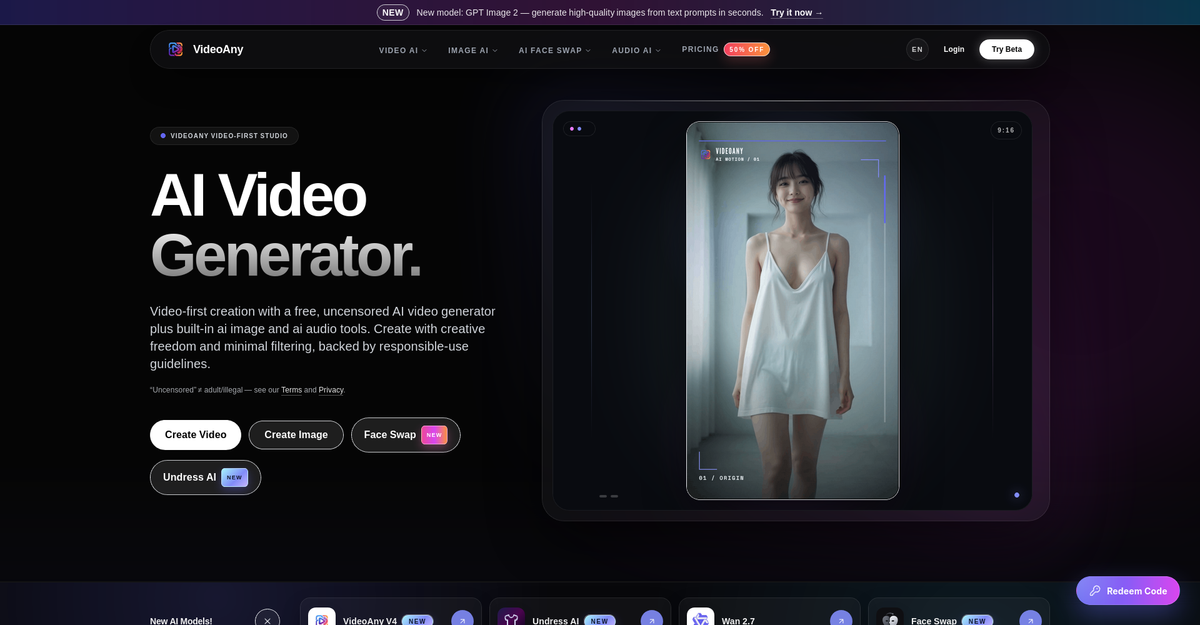
Here is a concrete example of the gap. VideoAny markets itself in its own hero copy as a "free, uncensored AI video generator", and then adds a line directly underneath: "Uncensored" ≠ adult/illegal. Both statements are true at once. It is a genuinely permissive general-purpose tool and it is not an adult tool. If you go there expecting the second thing you will have a bad evening.
How we picked the tools on this list
The list is drawn from what actually ranks and what actually gets recommended, not from an affiliate spreadsheet. For each tool we checked four things:
- Whether it generates video at all, or whether it is an image generator with a video feature bolted on the pricing page.
- Whether image to video is supported, since that is how most people actually make explicit clips: generate or upload a still, then animate it.
- What the terms and the homepage say about adult content, in their own words rather than ours.
- Whether you can reach a first render without an account, and what the free tier really includes.
We did not test every model on every platform, and no listicle can honestly claim to have. Where we are describing a policy rather than an output, it comes from the tool's own published wording.
The best uncensored AI video generators in 2026
1. Nastia (ours, and here is the caveat)
Nastia is our product, so discount the placement accordingly. What it is: a companion app where the video is of your character rather than a stranger. You build a companion, chat with her, generate stills, and then animate those stills. The uncensored AI video generator is not a separate service you paste an image into; it is downstream of a character that already exists and stays consistent between renders.
That consistency is the real difference and it is worth being precise about why. A general-purpose image to video tool has no memory of what it rendered yesterday. Ask it for the same woman twice and you get two different women. Because a Nastia companion has a fixed appearance definition, the still you generate on Tuesday and the still you generate on Friday are the same person, which means the clips are too. If you are making one throwaway video, this does not matter. If you are building anything continuous, it is the whole thing.
On adult content: explicit stills and clips are a supported use, not an edge case. The uncensored AI image generator runs in the browser with no login, and video is on the paid plans. It is start free to create a companion and start chatting.
What it will not do, and this is deliberate: no face swap and no photo uploads, so you cannot add a photo of a real person to drive a generation. If that is what you came for, we are the wrong tool and we would rather say so here than waste your time.
Best for: continuous, character-driven explicit video where the same person shows up every time.
Weakest at: one-off cinematic renders from an arbitrary uploaded image, and long clips. It is a companion product first.
2. VideoAny
A video-first studio that aggregates a large model roster: Seedance, Wan, Kling, LTX, Vidu, HappyHorse and Grok Imagine on the video side, plus GPT Image, Nano Banana, Flux and Seedream for stills, and Suno and ElevenLabs for audio. It also ships face swap and lip sync. Read the policy carefully: only VideoAny's own proprietary model is described as supporting uncensored generation. The third-party models keep their own safety filters, which means the model picker is also a filter picker. An account is required to generate.
Best for: breadth of models and audio in one place.
Weakest at: predictability. Whether your prompt survives depends entirely on which model you selected, and that is not obvious from the interface.
3. Senzia Image to Video
A single-purpose image to video converter. Accepts JPEG, PNG and WEBP up to 10MB, takes a motion description, returns MP4. It advertises no credit meter, no daily cap and no branded overlay, which if accurate is a more generous free tier than anything else on this list. On content it says it does not pre-screen and explicitly names "artistic nudity-adjacent work", which is a careful phrase doing a lot of work. It is not marketed as an adult tool; it is marketed to photographers and marketers who are tired of being flagged.
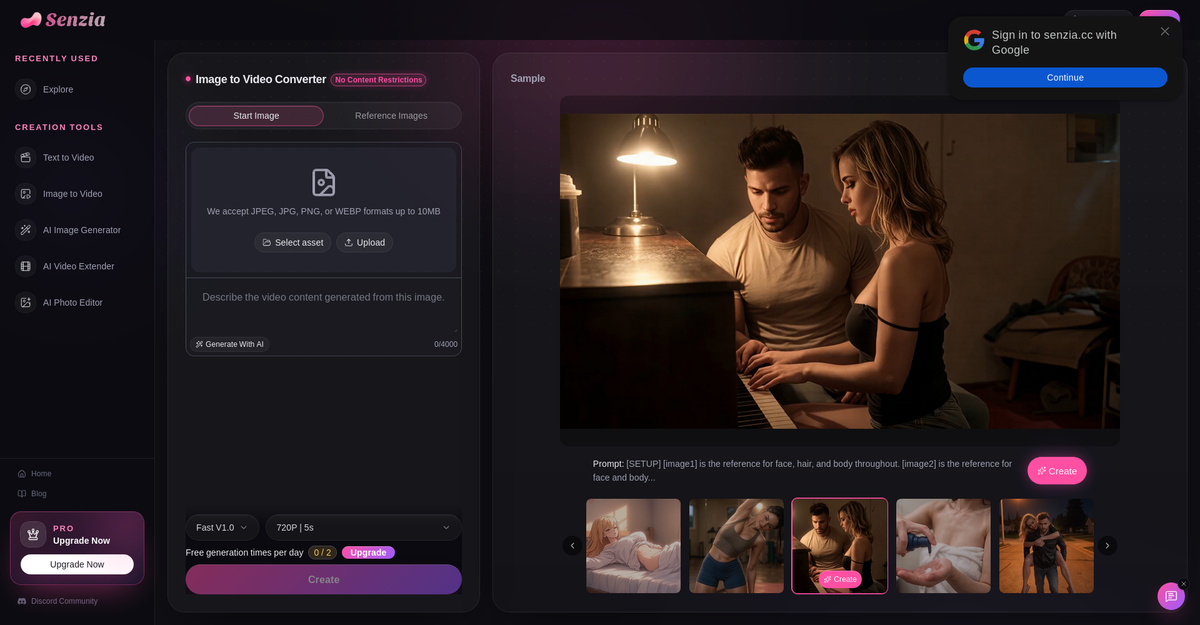
Best for: free, unlimited, no-nonsense animation of a still you already have.
Weakest at: anything explicitly pornographic. "Nudity-adjacent" is the ceiling it advertises.
4. ZenCreator
Positioned as pro-grade content creation for UGC creators, influencers, agencies and e-commerce, with a clean mainstream design and a Trustpilot badge on the homepage. Underneath that it does explicitly ship an "NSFW AI Generator" and an "NSFW AI Video Generator" and describes itself as uncensored image and video AI with no filter. It also does face swap, upscaling and lip sync. Registration required. Content involving minors or non-consensual sexual content is explicitly prohibited, and users must confirm they hold rights to anything they upload.
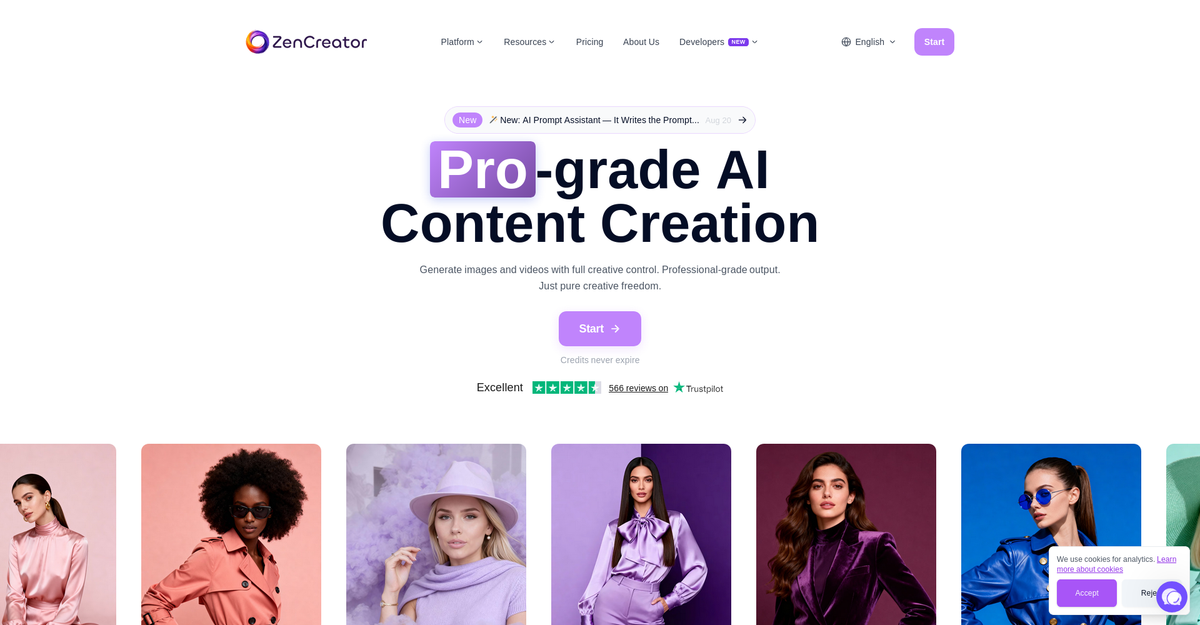
Best for: creators who want NSFW output inside a tool that does not look like an NSFW tool.
Weakest at: casual use. It is a production suite, and it wants an account and a workflow.
5. Media.io No Restriction AI Video Generator
The highest-authority domain competing for this term, and the clearest example of the naming problem. "No restriction" here means fewer creative constraints, not no content policy. It is a solid, fast, mainstream image to video generator from an established editing suite. Treat it as a good general tool that happens to rank for an adult query rather than an adult tool.
Best for: clean, reliable, non-explicit image to video.
Weakest at: the thing the keyword implies.
6. Wondercraft Free AI Image to Video
Another free image to video generator from a mainstream audio and video company. Same caveat as Media.io, and it is on this list for completeness because it ranks, not because it is permissive. If you are evaluating options honestly, knowing which entries are decoys saves more time than another paragraph about the ones that work.
7. Grok Imagine (Spicy mode)
The most permissive output from a major lab, available inside X's subscription tiers. Spicy mode will produce suggestive video that mainstream competitors refuse outright. It is genuinely capable and it is also the most likely of anything here to change policy without warning, because it sits inside a large platform with advertisers. Good for experiments, risky as the thing you build a habit around.
Worth being specific about the risk, because "policy can change" is a lazy warning. The concrete failure mode is that the capability is tied to a subscription on a platform whose revenue comes from advertisers, and advertisers are the group most reliably hostile to adult content. When that tension resolves it will not resolve in your favour, and there is no export button for the things you made. Use it for what it is good at, do not make it the only place your work lives.
Best for: quality and novelty, right now.
Weakest at: durability. Platform-level policy can move under you.
Try Nastia, the uncensored AI companion
Uncensored chat, image generation, voice messages. Free to start.
8. The open weights route: Wan, HappyHorse, Seedance, LTX
These are models rather than products, reachable either through aggregators or on your own hardware. Running them yourself is the only configuration where nobody can revoke anything, and it is also the only one that costs you a GPU, a Sunday, and a tolerance for dependency errors. If you want a specific model with no wrapper deciding what it renders, this is the honest answer. For everyone else it is not a realistic recommendation, and listicles that put "just run it locally" at number one are usually padding.
Comparison table
Uncensored AI video generators compared on the four things that actually differ
| Tool | Video type | Adult content | Account needed | Free tier |
|---|---|---|---|---|
| Nastia | Image to video, character-consistent | Yes, explicit supported | Yes for video | Free chat and images |
| VideoAny | Text and image to video, many models | Own model only | Yes, limited | |
| Senzia | Image to video only | Nudity-adjacent | Not clearly required | Unlimited, advertised |
| ZenCreator | Image and video, full suite | Yes, NSFW tools shipped | Credit based | |
| Media.io | Image to video | Yes, limited | ||
| Wondercraft | Image to video | Yes, limited | ||
| Grok Imagine | Text and image to video | Suggestive, spicy mode | Yes, paid tier | |
| Open weights | Depends on model | Depends on your setup | Your own hardware |
NSFW AI image to video: how it actually works
Almost nobody generates explicit video from a text prompt alone, and the tools that let you try are the ones that disappoint hardest. The workflow that actually produces usable clips has three stages, and understanding them explains most of the failures people run into.
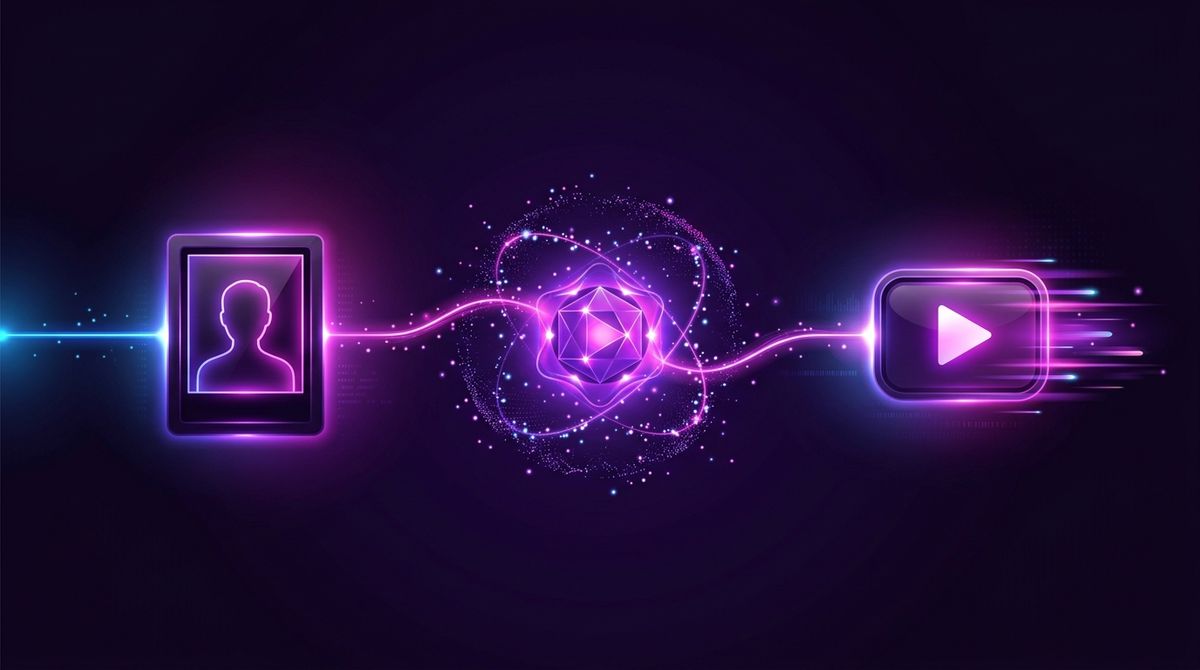
Stage one is the still. You generate or supply a single frame that already looks exactly right: pose, body, lighting, framing. This is where you should spend most of your effort, because video models are motion models, not composition models. They will animate what you give them. They will not fix it. A slightly wrong hand in the still becomes a very wrong hand in motion.
Stage two is the motion prompt. You describe what moves, not what the scene is. This is the step most people get wrong, because they write another image prompt. "A woman in a bedroom, photorealistic, detailed" tells the model nothing about motion and you will get a near-static clip with drifting artefacts. "She turns her head slowly toward the camera and smiles" is a motion prompt. Keep it to one or two physical actions. Video models handle a single clear movement far better than three competing ones.
Stage three is the render, and this is where filtered tools break. A tool can happily generate your still and then refuse to animate it, because the image model and the video model have different safety tuning and often come from different vendors entirely. This is the single most common complaint about "uncensored" video tools and it is why the pipeline matters more than the marketing. A tool where both stages come from the same permissive stack will not surprise you at the last step.
Practical notes that save time:
- Shorter is better. Most models degrade badly past a few seconds. Two good seconds beat six mushy ones.
- Avoid asking for camera movement and subject movement in the same prompt. Pick one.
- Hands, teeth and jewellery are where artefacts appear first. If they are prominent in the still, expect trouble.
- If a render fails silently, change the still before you change the prompt. The still is usually the problem.
Text to video or image to video for explicit content?
Both exist, and for adult output they are not close. Image to video wins on almost every axis that matters, and it is worth knowing why so you stop trying to make the other one work.
Text to video asks the model to invent composition, anatomy, lighting and motion simultaneously, from nothing, in one pass. That is four hard problems at once, and explicit content is exactly where the anatomy problem is hardest, because the training data is thinnest and the safety tuning is heaviest. The result is the characteristic failure everyone recognises: a plausible-looking few frames that dissolve into anatomical nonsense the moment anything moves.
Image to video splits the problem in half. The still resolves composition and anatomy completely, using an image model that has seen orders of magnitude more data and is much better at bodies. The video model then only has to solve motion, with a fixed and correct starting frame to anchor to. You are giving it far less room to be wrong. This is why nearly every tool that produces genuinely usable explicit clips is image-first, and why the ones that lead with text to video tend to show you cinematic landscapes in their examples rather than people.
The practical rule: if the output has a human body in it and you care how that body looks, generate the still first. Spend three attempts getting the still right and one attempt on the motion, not the other way round. It is also cheaper, because still generation costs a fraction of what a video render costs on every platform we looked at.
There is one case where text to video is the better choice, and it is worth naming: establishing shots and scene-setting where no person is in frame, or where the person is distant enough that anatomy does not resolve. If you are building something longer out of multiple clips, generating those transitional shots from text and the close work from stills is a reasonable division of labour.
Why a video model refuses when the image model did not
This is the question we get asked most, and the answer is architectural rather than arbitrary. It is worth understanding because it tells you which tools will keep working and which will keep frustrating you.
An image model and a video model are trained separately, usually by different teams, and increasingly by different companies. A platform that offers both is almost always stitching together two vendors. The image side might be a permissive fine-tune someone released publicly. The video side might be a commercially licensed model whose licence contract explicitly forbids adult output. The platform cannot switch that off even if it wants to, because the restriction lives in the agreement, not the code.
There is a second, subtler reason. Video models are trained on far less data than image models, because video is enormously more expensive to collect, store and process. A model trained on a narrower distribution generalises worse, and safety tuning bites harder on a narrow distribution. The practical effect is that a video model does not need an explicit refusal to fail you. It can simply not know how to render what you asked, and produce something smeared and wrong instead. People read that as censorship. Often it is just incompetence at the edge of the training set.
You can usually tell the two apart. A policy refusal is fast, clean, and returns an error or a uniformly blurred frame. A capability failure is slow, completes normally, and returns something that looks broadly right but falls apart in the details: extra fingers, a face that changes identity halfway through, limbs that pass through each other. If you are getting the second kind, changing tools will not help as much as improving the still and simplifying the motion.
The third reason is the one nobody advertises: cost control disguised as safety. Explicit prompts correlate with heavy users, heavy users are expensive, and a quiet filter is a cheaper way to shed them than a rate limit that generates support tickets. We have no way to prove this about any specific tool and we are not accusing one. But if you have noticed that a tool became more restrictive shortly after it got popular, that pattern is real and it is not always about policy.
Age verification and what actually changed in 2026
The regulatory picture shifted underneath this whole category, and it explains a lot of the behaviour that looks like sudden censorship from the user side.
Several large markets now require meaningful age assurance for adult content rather than a self-declared checkbox. That obligation lands on the platform, not the model, and it costs real money per verified user. The consequence is that a general-purpose AI tool with a small adult minority has a strong incentive to remove adult capability entirely rather than build verification for it. That is why so many tools that were permissive two years ago are not now, and why the ones that remain permissive are increasingly adult-native products rather than general tools with a permissive setting.
The second consequence is payment. Card networks apply a separate, stricter category to adult content, with higher fees, chargeback thresholds and mandatory content controls. A general tool that starts allowing explicit output can find its payment processing reclassified. Most would rather ship a filter.
For you as a user this has one practical implication that is worth internalising: a tool that is adult-native and says so is more stable than a general tool that currently tolerates adult output. The general tool has a structural incentive to remove the capability and no incentive to warn you first. This is not a moral claim about either. It is just how the economics run, and it is the single best predictor of whether the thing you rely on will still work in six months.
Mistakes that quietly waste your generations
Most disappointing output comes from a small number of repeated errors rather than from the tool being bad. In rough order of how often we see them:
- Writing the image prompt again in the motion field. The model already has the image. Describing the scene a second time competes with what it can see and produces drift.
- Asking for too much motion. One action per clip. "She walks toward the camera while turning and laughing as the camera pans" is four things and you will get none of them cleanly.
- Starting from a low-resolution or heavily compressed still. Video models amplify whatever noise is already there. Upscale first, animate second.
- Fighting a policy refusal by rewording. If the block is a licence-level restriction, no amount of euphemism gets past it, and you will burn a dozen generations finding that out. Change tools instead.
- Ignoring the aspect ratio of the source still. Many models silently crop to their native ratio and take your subject's head with it.
- Assuming the first render is representative. Video generation has high variance. The same prompt and still can produce a usable clip and an unusable one back to back, so regenerate once before concluding anything.
Read the terms before you trust the label
Every serious tool on this list publishes its terms in writing, and they are worth two minutes of your time before you pay for anything.
VideoAny, ZenCreator and Senzia all spell out their policies clearly, and Nastia does not ship face swap at all. If a tool has no clear terms, that is not a sign it is more permissive. It is a sign it has not thought things through, which usually also means it has not thought about your data. "Uncensored" is a statement about creative range, and the tools worth paying for back it with a real product.
So which one should you actually use?
Three honest answers depending on what you are doing.
If you want a specific character and want her to stay the same person across clips, use a companion app, ours or another. General purpose video tools are structurally bad at this because they have no identity model. This is the one case where the category matters more than the model quality.
If you have a still and want it animated once, use a dedicated image to video tool and pick based on the free tier. Senzia is the most generous of the permissive ones. Do not pay for a subscription to find out whether your prompt survives.
If you want maximum quality and accept the policy risk, Grok Imagine spicy mode is currently the strongest output from anything with a real research budget behind it, with the obvious caveat that it can change.
And if you are here because a general chatbot refused you, the problem is upstream of video. That is a filtered-model problem, and it is worth reading about NSFW AI chat and the Character.AI alternative landscape before you spend money on a video tool that sits on the same filtered stack. If you are comparing companion apps more broadly, we also keep a list of sites like Candy AI .

Try the uncensored AI video generator
Build a companion, generate a still, animate it. NSFW welcome, free to start.
Related guides
Still weighing your options? These companion guides go deeper on the rest of the field: Best Character AI Alternatives , Best NSFW AI Chat Apps , and Best Janitor AI Alternatives .
Uncensored AI video generator FAQ
It depends on whether you need character consistency. For repeated clips of the same character, a companion app with a built-in video generator wins, because general tools cannot reproduce the same person twice. For a single animation of a still you already have, a dedicated image to video tool with a generous free tier is the better choice. There is no single winner, and any list that claims one is not describing the same use case you have.
Partly. Several tools advertise free image to video with no credit meter, and those are real, but the permissive free tools are mostly permissive up to artistic nudity rather than explicit content. Tools that generate genuinely explicit video almost always gate it behind an account and a paid plan, because the compute is expensive and the payment processors require age assurance. Free explicit video with no account and no limits does not currently exist from anyone credible.
You generate or upload a still frame, write a short prompt describing the motion rather than the scene, and the model animates it into a clip. The still carries the composition and the appearance, the motion prompt carries the movement. Most failures happen because people write a second image prompt instead of a motion prompt, or because the tool applies a different safety filter at the animation step than it did at the image step.
Because the image model and the video model are usually different models with different safety tuning, often from different vendors. A tool can have an unfiltered image stage and a filtered video stage. This is the most common complaint about tools marketed as uncensored, and it is why it is worth checking whether both stages run on the same permissive stack rather than trusting the label on the homepage.
Some ship face swap as a feature, and every reputable one prohibits using it on a real person without consent. Nastia does not ship face swap, photo uploads are disabled, and prompts naming public figures are refused. Non-consensual sexual imagery of real people is illegal in a growing number of jurisdictions regardless of what any tool permits technically.
No, and this is the main thing to take away. It can mean no prompt filter, no output filter, an unaligned base model, or simply no login. VideoAny states on its own homepage that uncensored does not mean adult. Reading the sentence directly under the marketing headline resolves this faster than any review can.
Short. Most current models produce a few seconds per generation and quality degrades noticeably as length increases, with faces drifting and hands deforming. Longer output is usually several clips stitched together rather than one continuous render. Plan for short clips and you will be much happier with the results.
Last thing. If the reason you are reading this is that something you used to be able to make stopped working, that is the pattern worth naming: permissive tools tighten as they scale, and the tightening is never announced. The safest position is a tool whose uncensored output is the product rather than a tolerated edge case. That is the bet we made with our own uncensored AI video generator , and it is a reasonable filter to apply to everything else on this list too, including the entries we ranked above ourselves.
Nastia Team
The editorial team at Nastia AI, specializing in AI companions and adult chat technologies.

Uncensored, NSFW and judgment-free.
Start Free