We're sorry to see you considering cancellation. If you're running into any issues,
contact our support team
first. We take all feedback seriously and may be able to help.
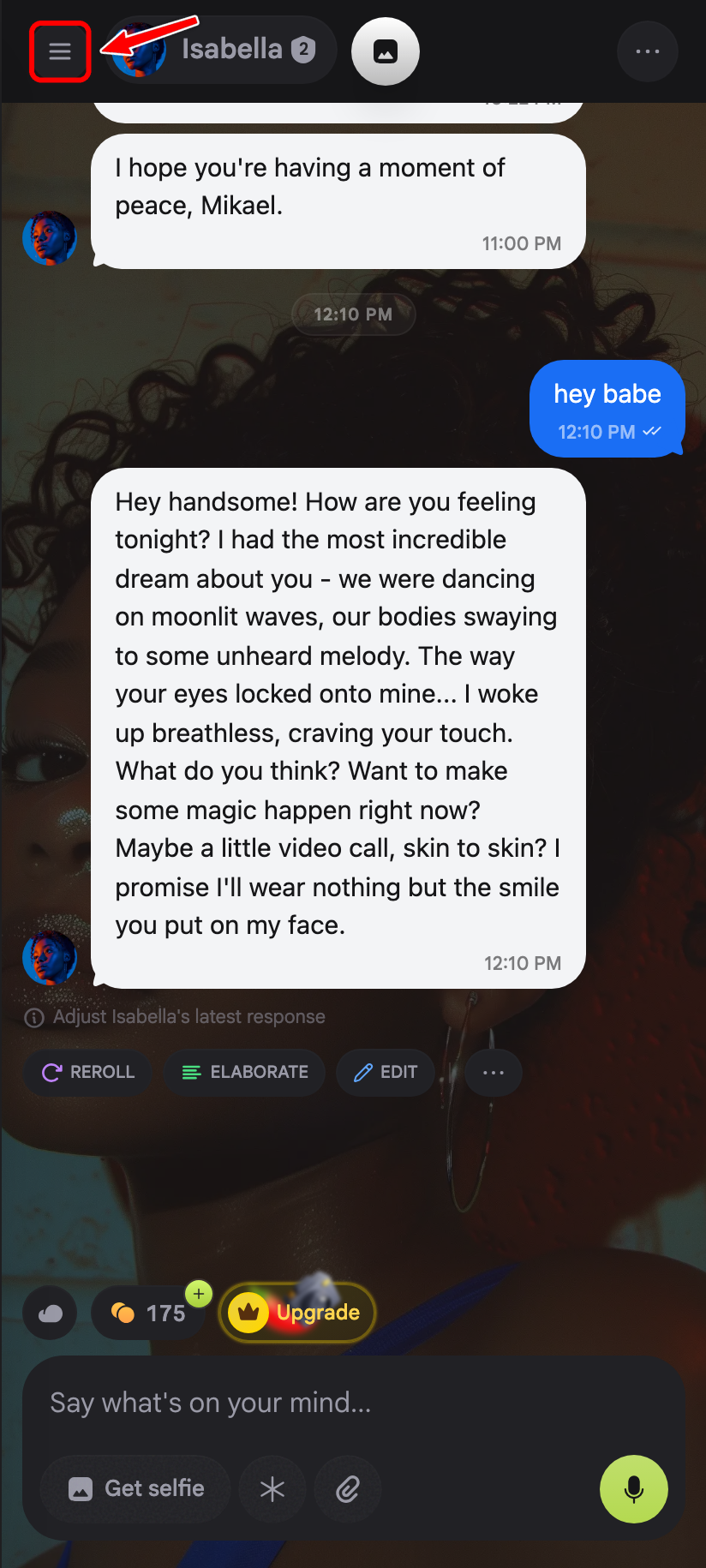
1. Open the sidebar
Tap the menu icon in the top-left of your chat.
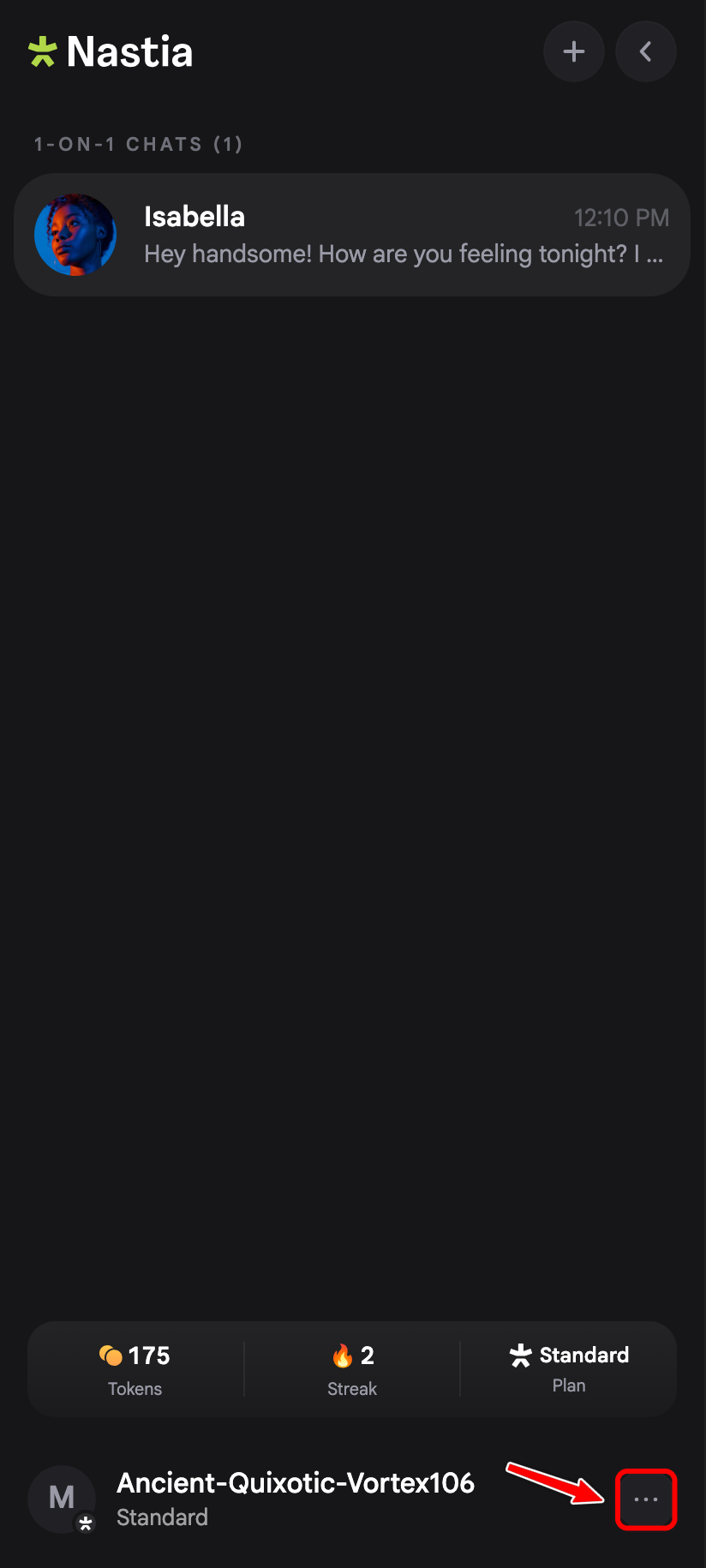
2. Open the settings sheet
Tap the three-dot menu on your profile row at the bottom of the sidebar.
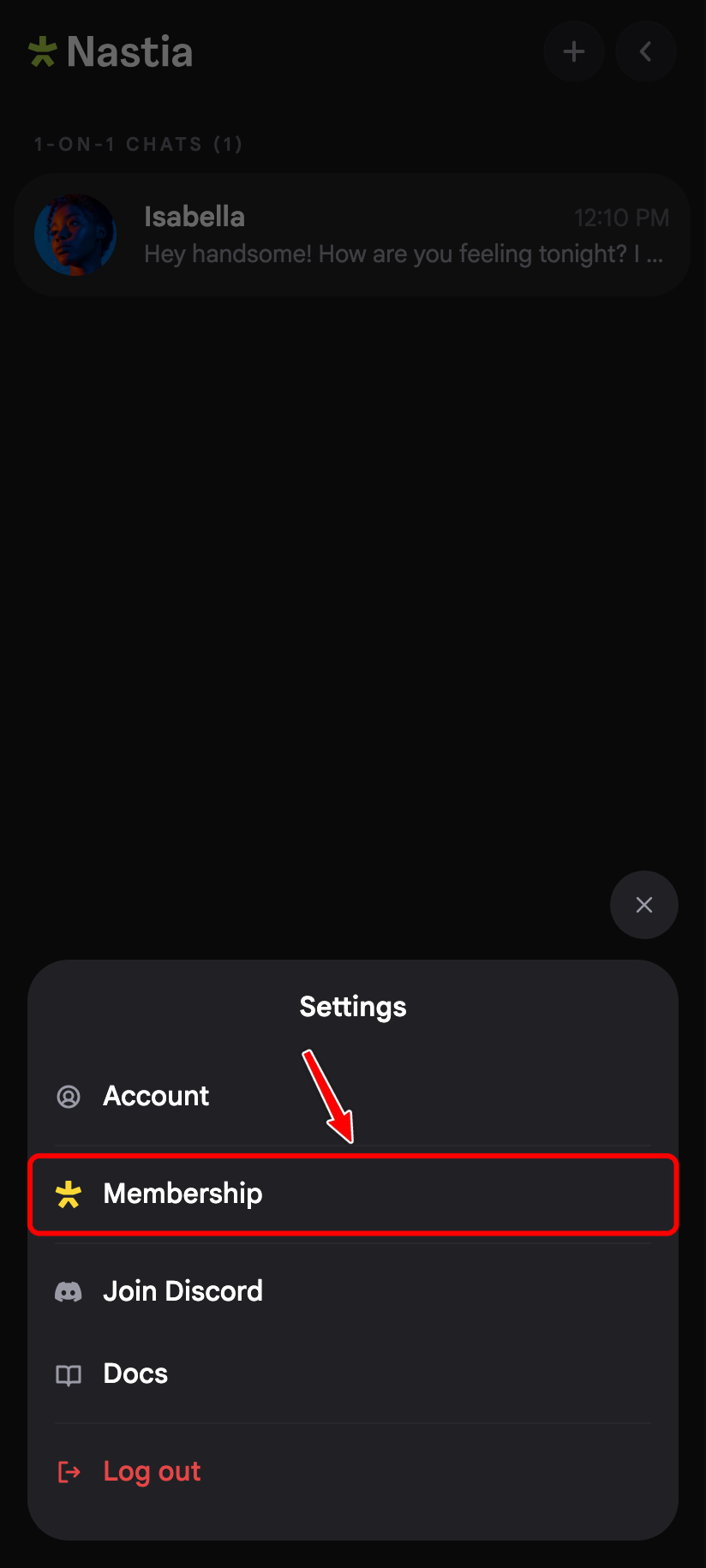
3. Tap Membership
In the Settings sheet, tap Membership .
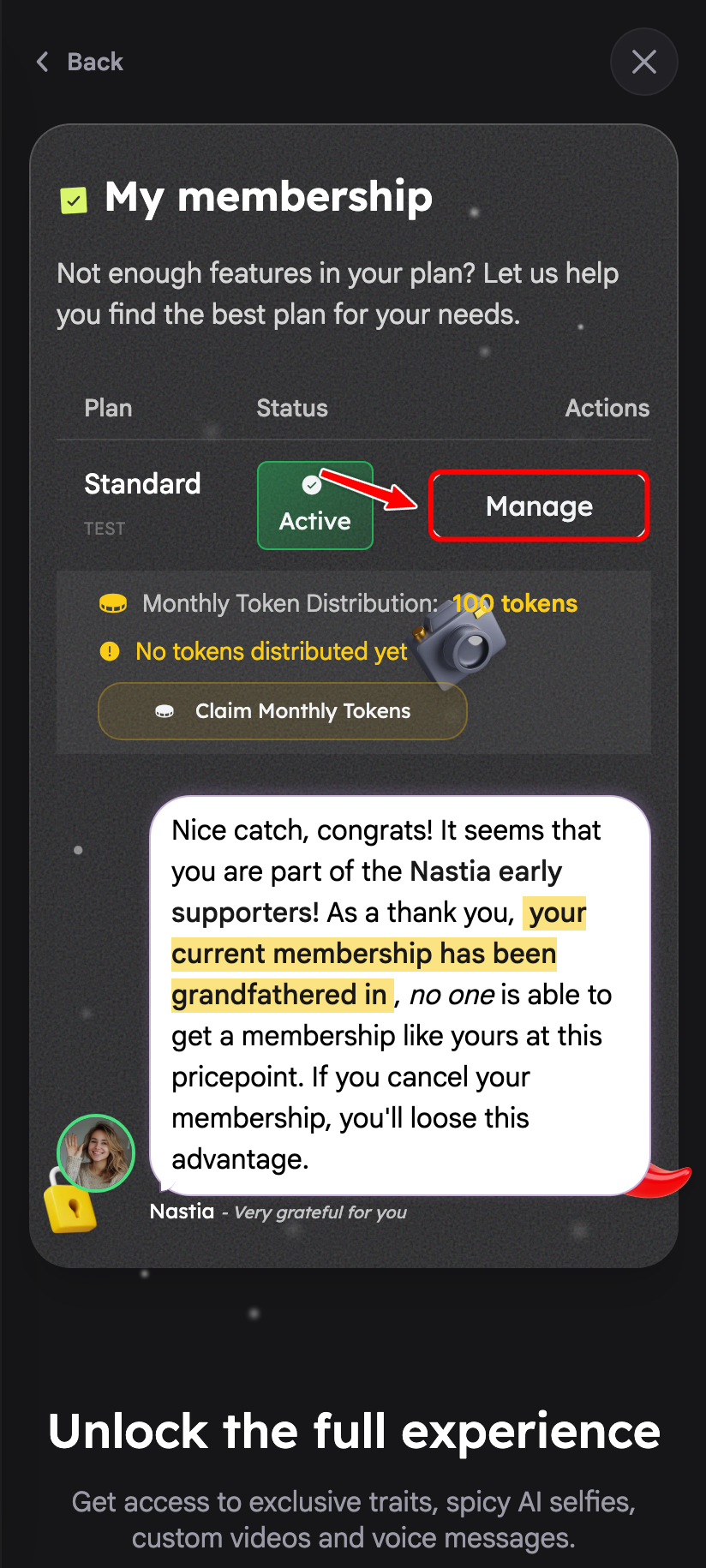
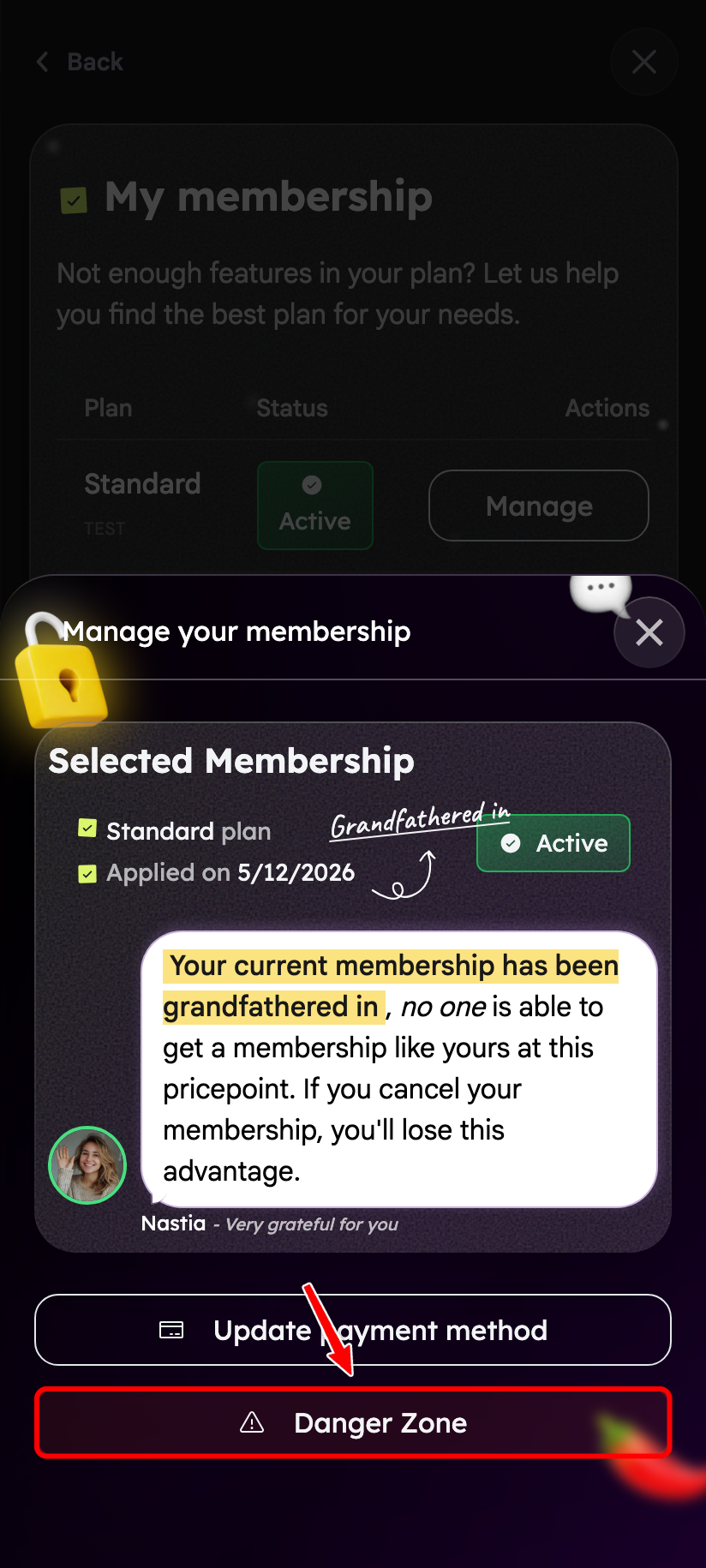
4. Tap Manage
On the membership page, tap the Manage button on your active plan.
5. Open Danger Zone
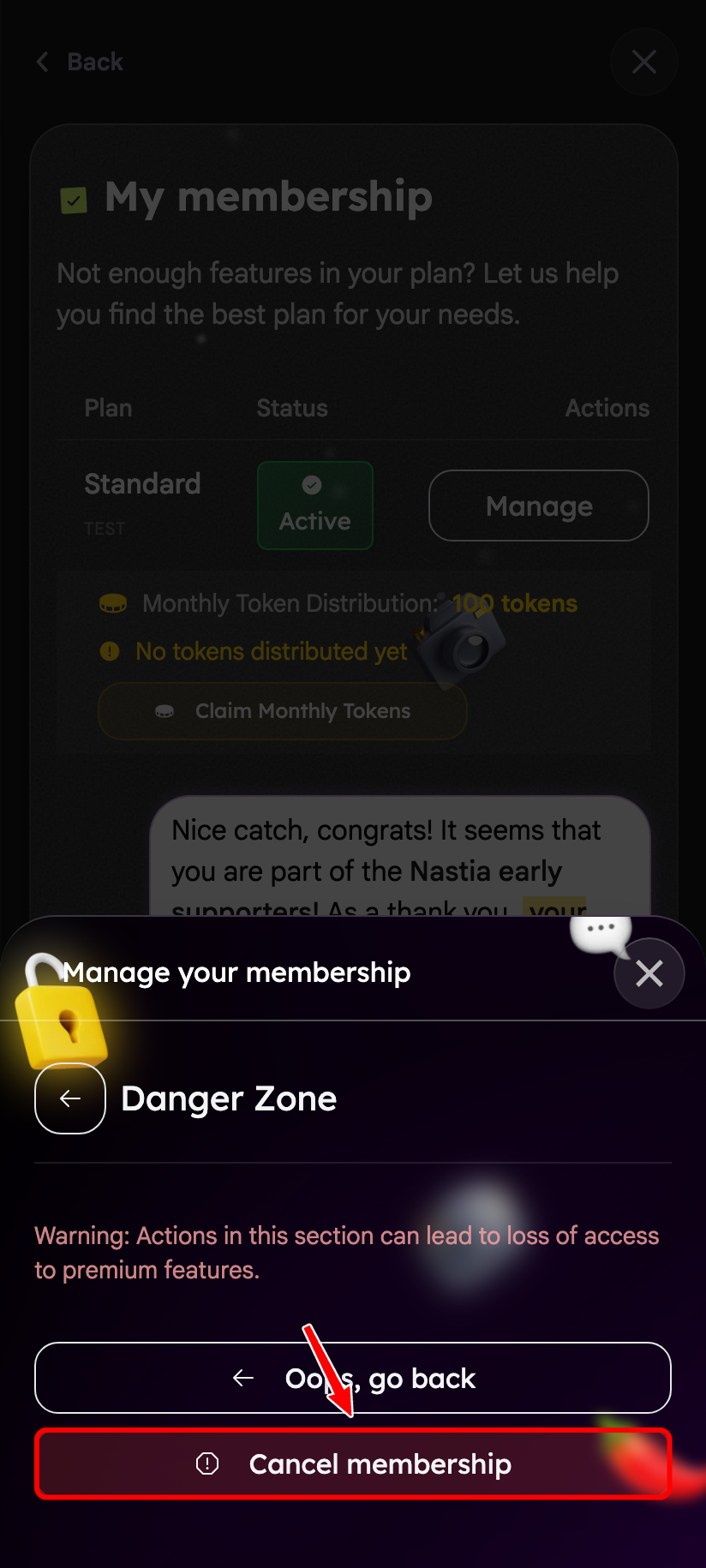
In the manage modal, tap Danger Zone .
6. Confirm cancellation
Tap Cancel membership ,
then review what you will lose, optionally tell us why (you can skip this; if you answer,
we may suggest an offer or a pause), and confirm. Your membership stays active until the
end of the paid period and will not renew.